 1 / 2
1 / 2
Clear: Calc Skin
Linux
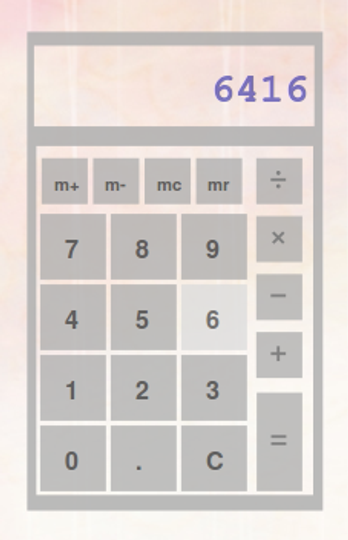
This was a simple semi-transparent skin I have made for the default Screenlets Calc.The pink part of the screenshot is my wallpaper.Installation: open the Screenlets manager, select the Calc and click on "Install New Theme", on the panel at the left. Choose the "clear_calc.tar.gz" file. Then, restart the calculator and it may work. Source: https://www.opendesktop.org/p/1006108
↓ 115393-clear_calc.tar.gz
2 downloads
0 favorites
0 comments
No comments yet.
Sign in to leave a comment.
0 Comments