 1 / 2
1 / 2
Conky Revisited 2
Linux
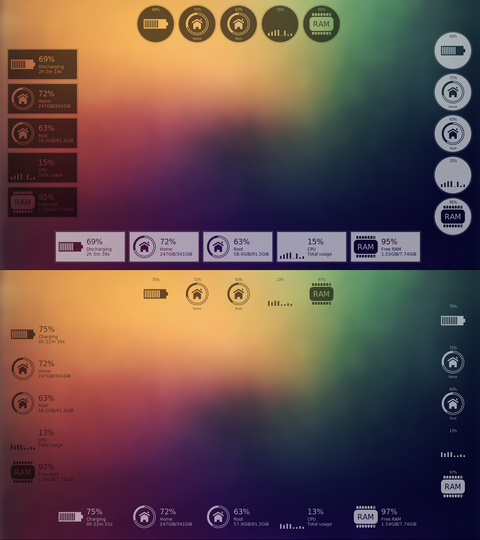
FeaturesCustomization options. See "settings.lua".Displays battery status.Displays free space.Displays CPU usage.Displays RAM usage.###Installation1 Extract the tar-file.2 cd into Conky-Revisited-2 - directory.3 Run the basic installation script:sh install.shThe conky will be installed in your ~/.conky - directory.4 cd to ~/.conky/Conky_Revisited_2. Then cd into one of the four listed subdirectories and issue:conky -c CONKY_FILECONKY_FILE is the name of the conky-file in that directory Source: https://www.opendesktop.org/p/1294471
↓ Conky-Revisited-2-v0.1.tar.gz
3 downloads
0 favorites
0 comments
No comments yet.
Sign in to leave a comment.
0 Comments