 1 / 2
1 / 2
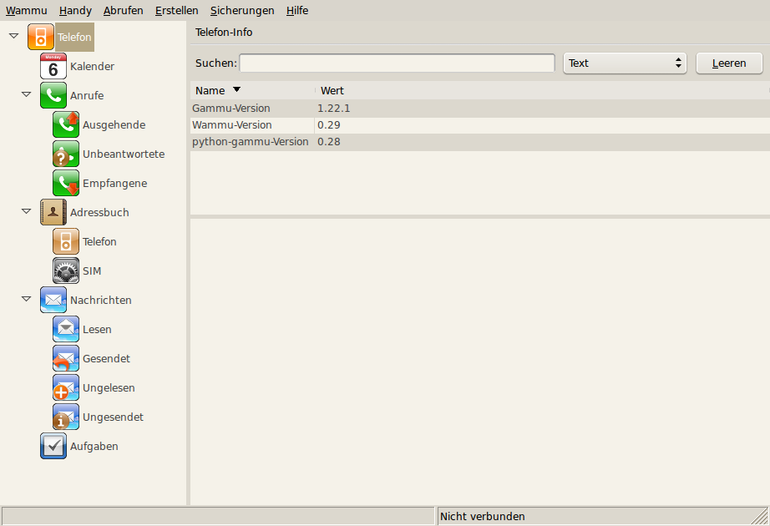
Wammu Icon set in bigger Size
Linux
Befor you start replacing the icons - make a copy of main.py in /usr/share/pyshared!!! You need Root rights to do this.Unpack wammu.tar.gz and then:1) become root rights (maybe gksu nautilus)2) search usr/share/wammu folder3) make a copy of the icon folder (maybe icon-old)4) replace the icon folder with the new one5) search for usr/share/pyshared/wammu folder6) search for main.py (make a copy if not done before!!!)7) replace the main.py with the new oneYou can also change the icon Size by hand: Source: https://www.opendesktop.org/p/1120962
↓ 113938-wammu.tar.gz
2 downloads
0 favorites
0 comments
No comments yet.
Sign in to leave a comment.
0 Comments