 1 / 3
1 / 3
Three Crystal Icons for LibreOffice
Linux
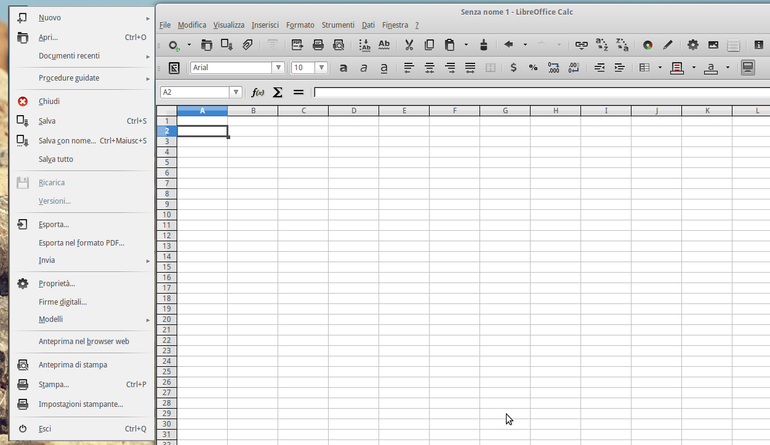
Three Crystal icons for LibreOffice – Elementary OS, Faenza and Mint.To install them on LibreOffice:1. Download the file2. Open the terminal:sudo apt-get install libreoffice-style-crystalsudo nautilus3. Copy and Replace images_crystal.zip in usr>share>libreoffice>share>confing4. To activate, open Libreoffice and select Option > View > Select "crystal" and click OK Source: https://www.opendesktop.org/p/1012295
↓ three-crystal-icons.tar.gz
2 downloads
0 favorites
0 comments
No comments yet.
Sign in to leave a comment.
0 Comments