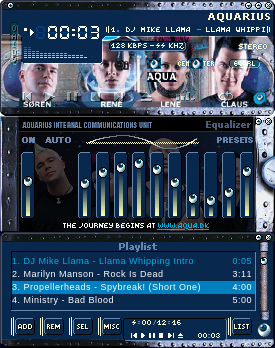
AQUARIUS WinAmp skin <<
Windows
AQUARIUS WinAmp skin << >> by adi327 Winamp 2.9x version For instalation : 1) move this .ZIP file to your winamp\skins folder (usually C:\Program Files\Winamp\Skins) 2) with Winzip, or another unzip software, you can execute "MB Changer.exe". This will install a new MB main page. (If the installer doesn't work or if you want to unzip manually, you can unzip the new MB page like this : unzip "Aqua in My Oh My.jpg" and "winampmb.htm" in yo
↓ Aquarius_submarine.wsz
2 downloads
0 favorites
0 comments
No comments yet.
Sign in to leave a comment.
0 Comments